
Travel information
Getting to our Days Bay location is part of the adventure, with transport options for every family’s needs.

Travel options
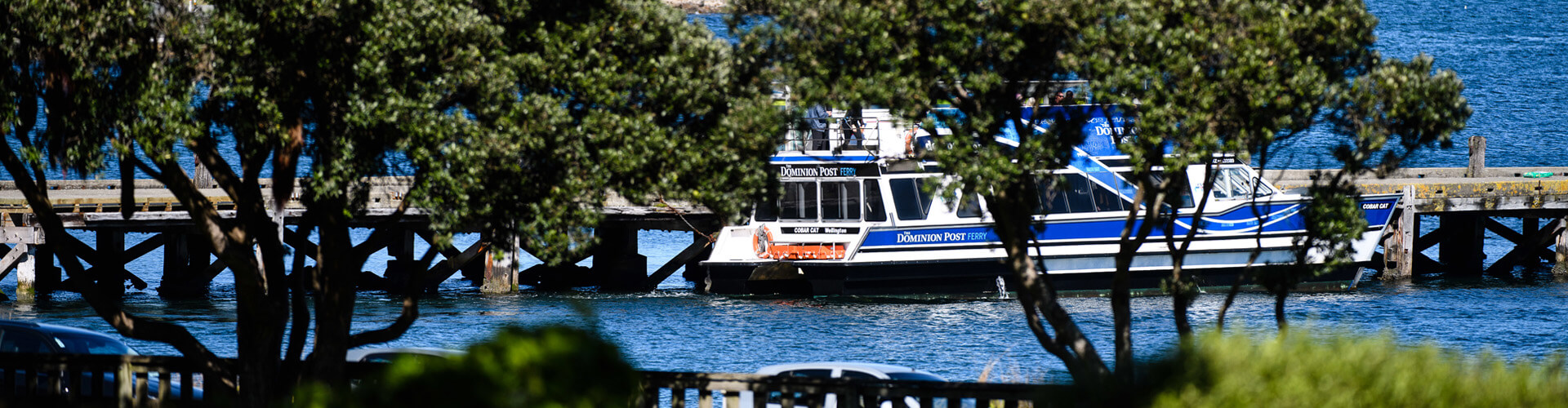
The Metlink ferry from Queens Wharf to Days Bay Wharf takes about 25 minutes — and what a journey it is! Boys love starting their day with harbour views and fresh air. Services run regularly during peak school times, making it a reliable and scenic option.
We have partnered with Mana Coaches to provide six dedicated bus routes that connect Wellesley with communities across the Wellington region. Each bus departs from school at the end of the day, returning along the same (or very similar) morning routes.
Our six routes cover:
| Bus No. | First Stop | Last Stop | Suburbs Serviced | Route Timings |
| Bus 1 | Beauchamp Street | Wellesley College | Karori, Te Aro, Northland, Thorndon, Point Howard | AM | PM |
| Bus 2 | Birdwood Street | Wellesley College | Karori, Kelburn | AM | PM |
| Bus 3 | Ottawa Road Library | Wellesley College | Ngaio, Khandallah, Johnsonville, Churton Park, Petone | AM | PM |
| Bus 4 | Hobson Street (QMC) | Wellesley College | Thorndon, Wadestown, Crofton Downs, Ngaio | AM | PM |
| Bus 5 | Upper Hutt Station | Wellesley College | Upper Hutt, Elderslea, Heretaunga, Avalon, Central | AM | PM |
| Bus 6 | Paremata Railway Station | Wellesley College | Whitby, Central Hutt, Seaview | AM | PM |
We will always keep you updated about any new routes or schedule changes as they arise.
Peace of mind with RollCall
While your son travels to and from school, our RollCall system keeps you connected. This clever bus management system lets you track your child in real-time and customise notifications to suit your needs — perhaps an alert when they have arrived at their bus stop? It is one less thing to worry about for busy families.
Wellesley is easy to reach by car from many parts of Wellington — we are a 30-minute drive from the city.
We encourage students who live nearby to walk or bike to school.
How RollCall works for your family
RollCall is Wellesley’s bus management system, allowing you to monitor and track your son while he travels to school by bus. The system gives you real-time visibility of where your child is on their journey, bringing peace of mind to busy mornings and afternoons.
Getting started
Once your son is registered on a bus route, you’ll receive an email with your login information. This email will guide you through:
- Setting up your password
- Accessing the parent portal online
- Downloading the RollCall app from the Apple App Store or Google Play Store
Customise your notifications
You choose which updates matter most to your family. Set the notifications that work for you — whether that’s knowing when your son has:
- Boarded the bus
- Arrived at the bus stop
- Reached school safely
- Left school for the journey home
Access anywhere
Whether you prefer the online portal or the mobile app, RollCall works wherever you are. Check in from work, home, or on the go — the real-time tracking means you always know where your son is on his bus journey.
Questions?
The school office can help with any RollCall queries, from initial registration to troubleshooting the app. We’ll make sure you’re connected and confident using the system.